Decision Ops Get Started Guide
Onboarding guide mapped to the DecisionOps dashboard flow.
This guide maps directly to the implemented Get Started flow in the Decision Ops dashboard at /onboarding.
Prerequisites
- API worker running on
http://127.0.0.1:8787 - Dashboard dev server running on
http://127.0.0.1:5173(npm run dev:web) DASHBOARD_BASE_URLset to your dashboard origin beforenpm run env:sync(for local dev:http://127.0.0.1:5173)- A valid org API key in browser storage:
- easiest path: sign in at
/login(GitHub or magic link) and let bootstrap configure it - alternative: create one from
POST /v1/admin/api-keysand paste it in onboarding/settings
- easiest path: sign in at
- Note: onboarding launcher snippets use
demo-dashboard-tokenas an example placeholder; replace with your real token.
1. Dashboard First
Use this when you want the fastest hands-on validation path.
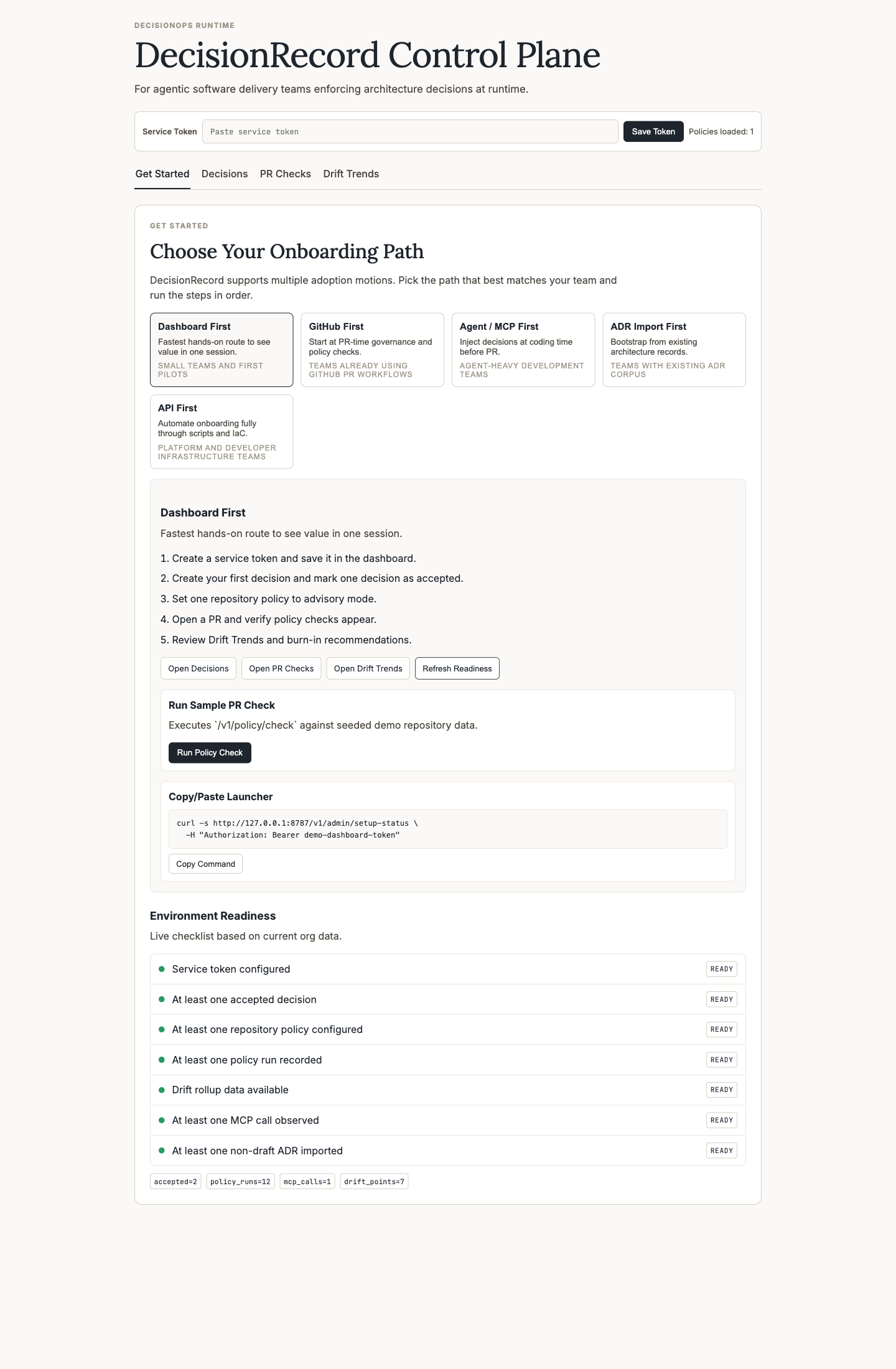
Steps:
- Save the service token.
- Run Run Policy Check.
- Open Decisions, PR Checks, then Drift Trends.
2. GitHub First
Use this when PR governance is your first priority.
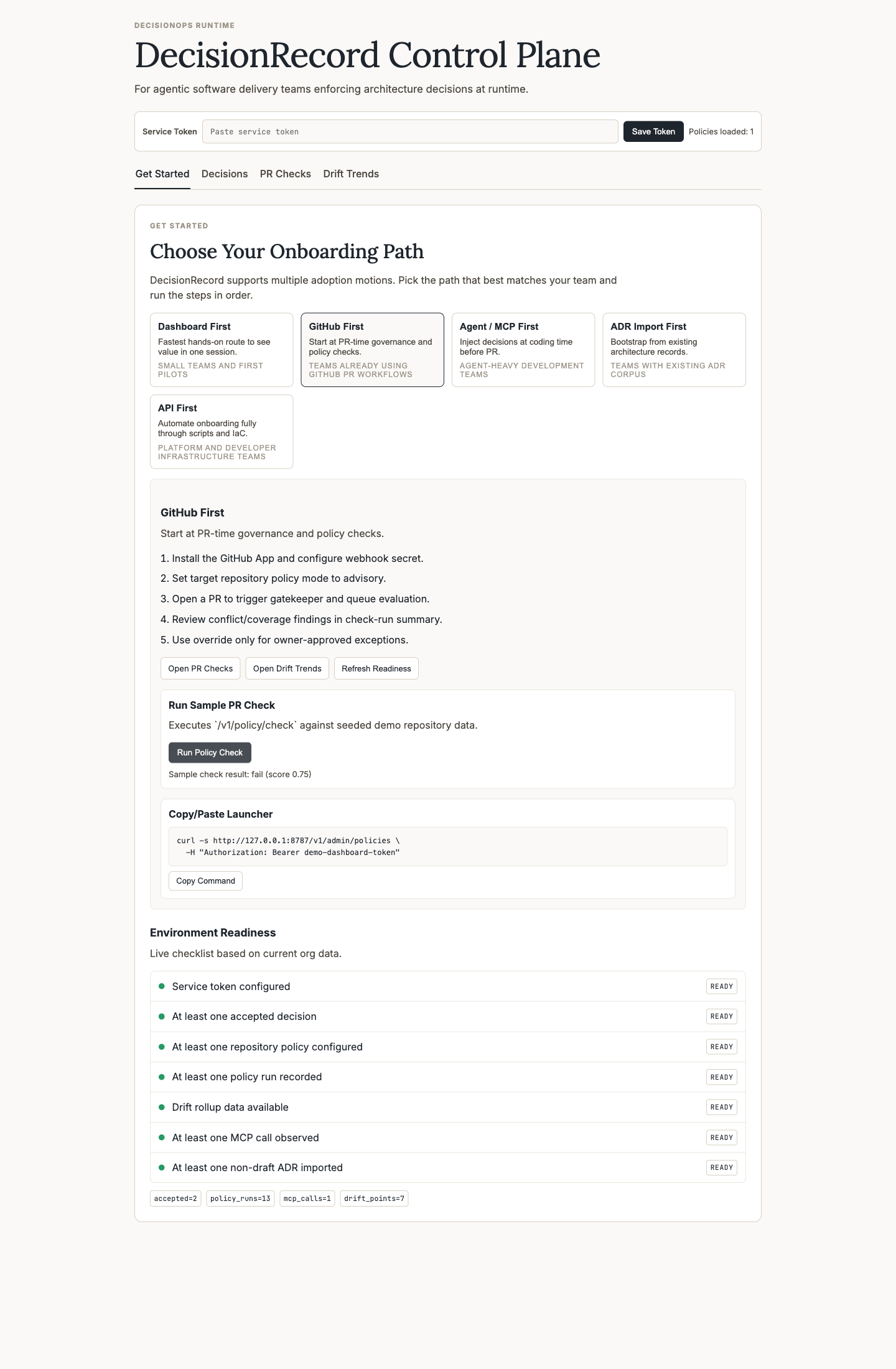
Steps:
- Keep repo policy in advisory.
- Run sample policy check to validate policy evaluation wiring.
- Inspect burn-in recommendations on PR Checks.
3. Agent / MCP First
Use this when coding is mostly agent-driven.
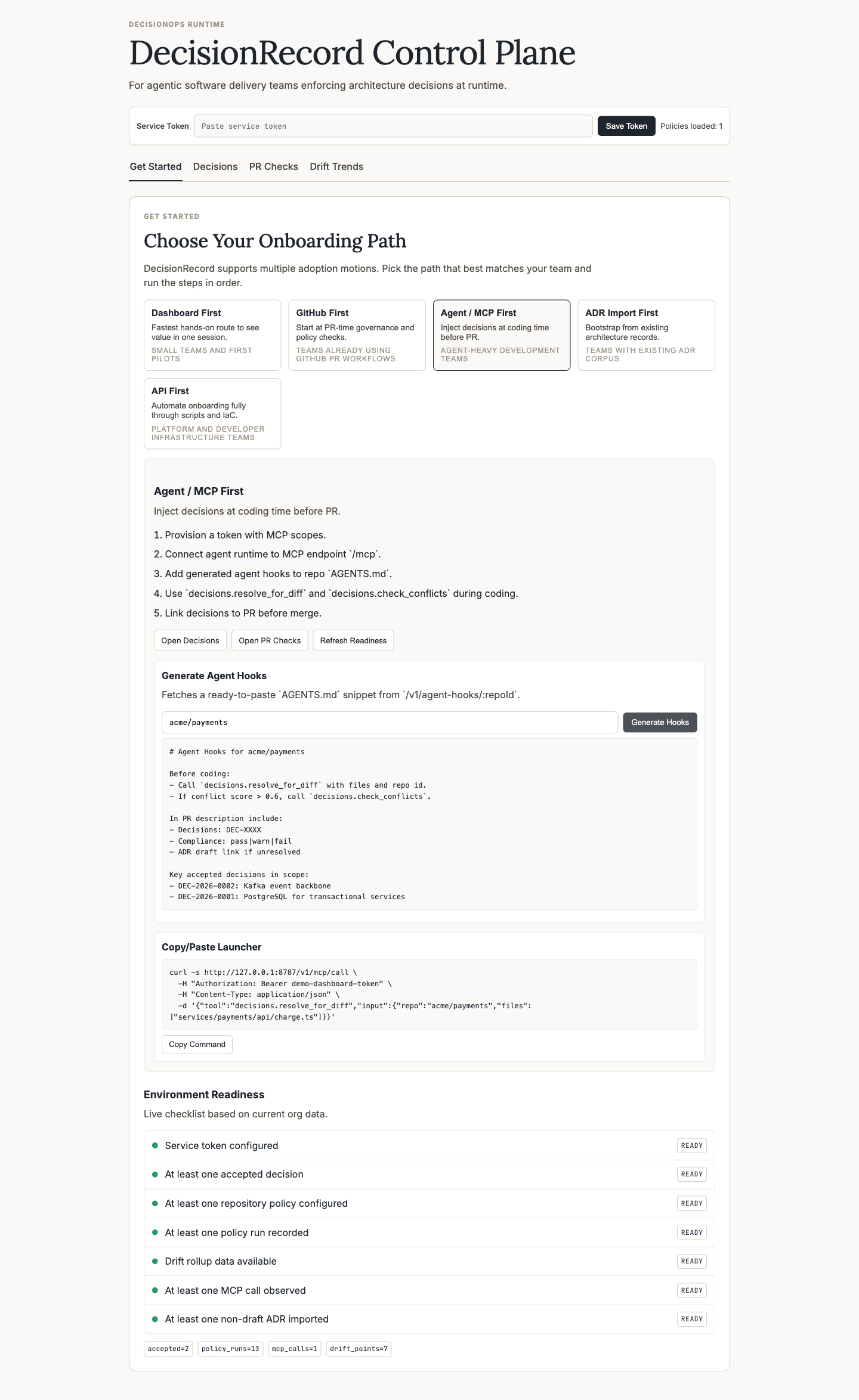
Steps:
- Generate repo hook instructions from Generate Hooks.
- Add the output into
AGENTS.md. - Use MCP launcher command to validate tool connectivity.
4. ADR Import First
Use this when you already have ADR/MADR history.
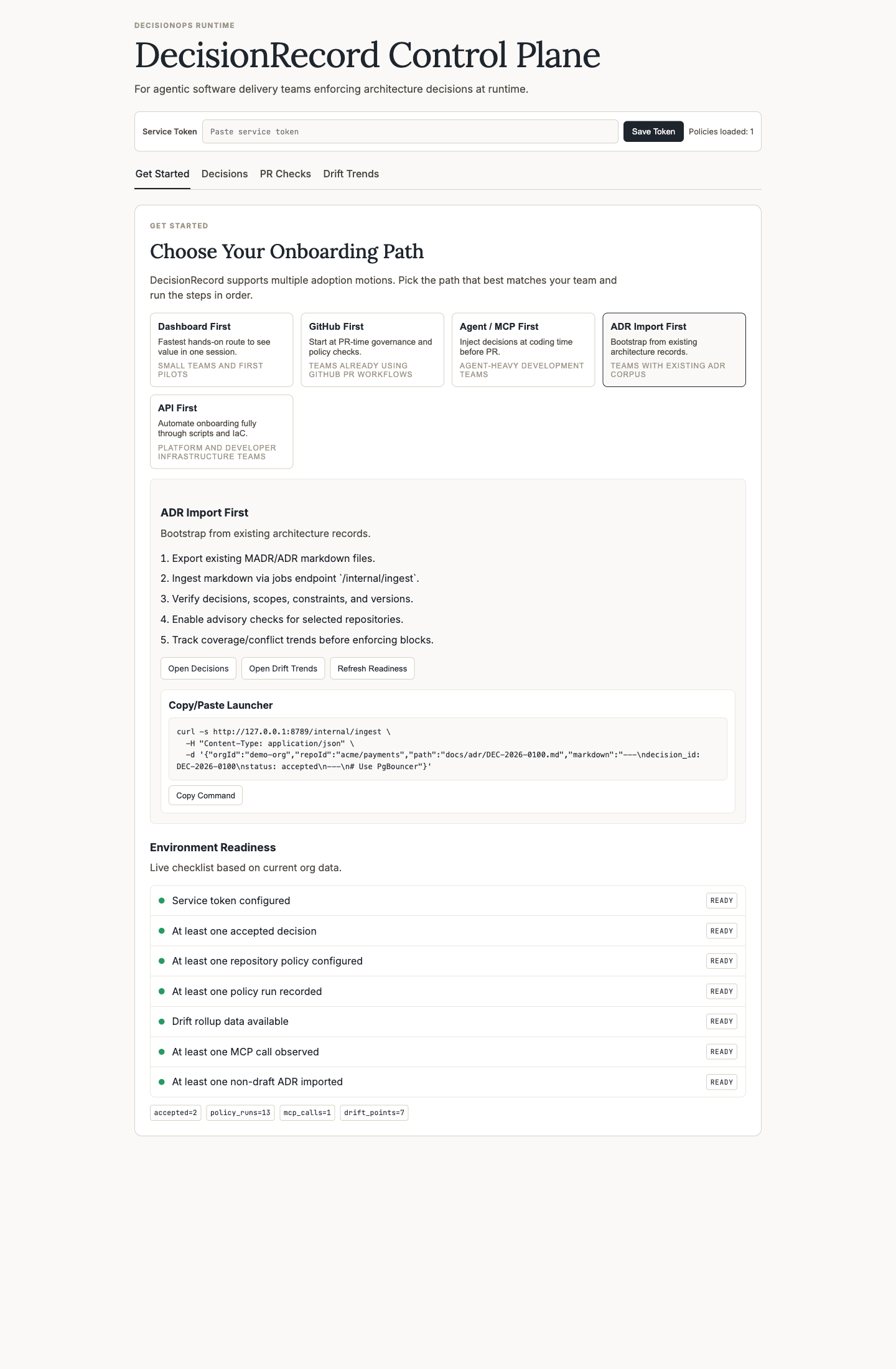
Steps:
- Use the ingestion launcher command.
- Validate imported decisions on Decisions.
- Review observability on Drift Trends.
5. API First
Use this for platform automation and scripted rollout.
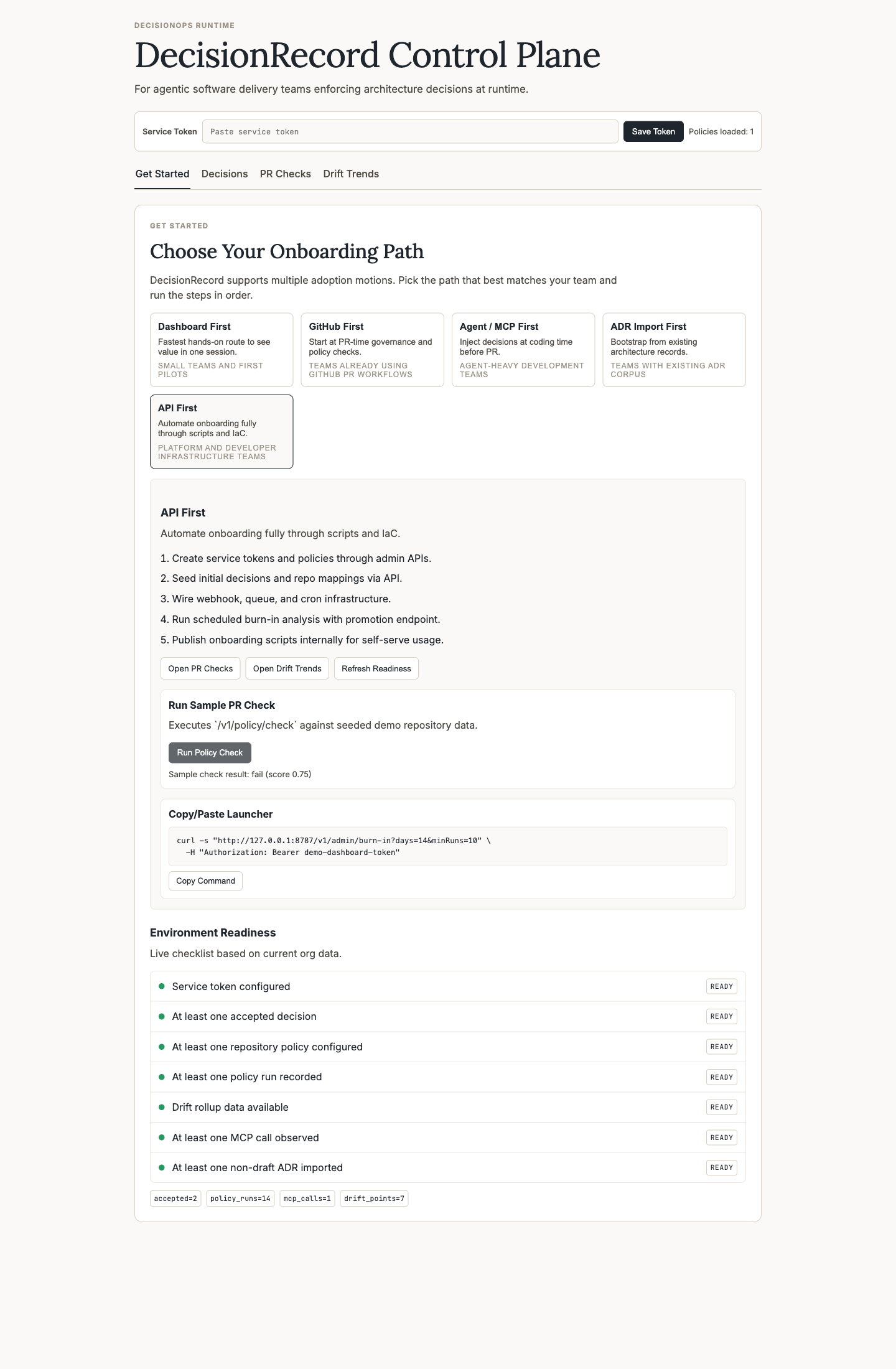
Steps:
- Run the burn-in launcher command.
- Promote repos only when readiness criteria are met.
- Keep advisory by default until false positive targets are stable.
Readiness Checklist Meaning
The onboarding page readiness panel is live from GET /v1/admin/setup-status and checks:
- token configured
- accepted decisions available
- repo policy configured
- policy runs present
- drift points present
- MCP calls observed
- non-draft ADR versions imported
PR Flow Smoke Validation
Use this after GitHub App installation to validate the full webhook/check-run/policy pipeline:
npm run smoke:pr-flow -- --owner decisionops --repo decisionops-pr-flow-smokeWhat it validates:
- GitHub App is installed for the target repo (
/v1/admin/github-app/validate-repo). - Advisory policy can be configured for that repo.
- PR webhook is accepted by gatekeeper.
policy_runsincreases via async jobs pipeline.- GitHub check-run is posted with completed
DecisionRecord Policy Check.